Positionation? Really? Very bad attempt at making up words to rhyme.
So 2.7.6 adds mostly a lot of internal work, much of which you won't notice directly but you can now change the position of the pelvis bone and interpolate between positions, YAY!
You can now also set the interpolation method, either linear or spherical linear and its interpolation strength (NOT the time it takes, that entirely depends on the strength).
You can now also double click to load poses and the save button as well as name line editor has been moved to the pose tab... because it really belongs there.... load and delete are still in the other tab.
Soon.
You should now also be able to save without a folder (it should create it automatically).
I snuck in some extra changes too, brightened tone mapping a tiny bit, pitch black shouldn't be completely pitch black anymore and dark/black textures should now show their details again, even in shadowed/dark places. I will most likely finetune this a little bit more.
BTW, the shortcut for locking depth of field focus has been changed and should work properly now. Can't believe i've ignored this for so long even though it was pissing me off really hard every time i used it.
Remember. Start pose, then edit the sliders, otherwise no change and whatever you do, DO NOT ever stop all animations (via the window or menu) while having the pose animation running otherwise you'll end up breaking it and need to relog to fix it. I'll be fixing that in coming updates.

Sunday, June 11, 2017

Thursday, June 8, 2017
Black Dragon Update 2.7.5: Poser Save/Load
With this update the poser is now capable of saving and loading poses into a XML file. They're listed in the new Animation tab.
I also added blending between poses and rotations, rotating bones will feel smoother now. I fixed an issue with the vector to quaternion (rotation) conversion that caused some rotations to deform the bone and all its linked bones, rotating it into random directions and inflating it in size. You may have seen it already or know the "Neil Special" animation that does exactly the same.

Fixing this issue also solved another issue with the rotations varying in strength towards the min/max value of the sliders, they should rotate uniformly now. They'll also allow greater precision due to the mentioned change requiring me to change the sliders to -3.142/3.142 min/max value to allow a full rotation.
Finally and most importantly, besides save/load, you can now click a bone once to select it, no more double click needed.
Make sure you save your poses before stopping the pose animation because you'll lose your progress.

Before i forget, you might need to create a folder at:
C:\Users\USERNAME\AppData\Roaming\BlackDragon\user_settings\
called poses... possibly... maybe... most likely... almost certainly, otherwise saving won't work. Haven't yet added code to do that automatically. Totes forgot about it, oh well, next version. I know i know... i always find reasons for you to update to that stupid next update... tztztz.
I also added blending between poses and rotations, rotating bones will feel smoother now. I fixed an issue with the vector to quaternion (rotation) conversion that caused some rotations to deform the bone and all its linked bones, rotating it into random directions and inflating it in size. You may have seen it already or know the "Neil Special" animation that does exactly the same.

Fixing this issue also solved another issue with the rotations varying in strength towards the min/max value of the sliders, they should rotate uniformly now. They'll also allow greater precision due to the mentioned change requiring me to change the sliders to -3.142/3.142 min/max value to allow a full rotation.
Finally and most importantly, besides save/load, you can now click a bone once to select it, no more double click needed.
Make sure you save your poses before stopping the pose animation because you'll lose your progress.

Before i forget, you might need to create a folder at:
C:\Users\USERNAME\AppData\Roaming\BlackDragon\user_settings\
called poses... possibly... maybe... most likely... almost certainly, otherwise saving won't work. Haven't yet added code to do that automatically. Totes forgot about it, oh well, next version. I know i know... i always find reasons for you to update to that stupid next update... tztztz.
Wednesday, June 7, 2017
Black Dragon Update 2.7.4: Bento Poser
Small update for the poser, you can now select the bones from a list via double click (sorry, single click doesn't work for some shitty UI reason) and then alter the selected bone via the 3 sliders. You should press Start Posing before you do however. I figured you wanted to know.

It also allows you to change all Bento bones. Yup, all 133 bones are now changeable.
Next up: Saving to XML. Editing collision volumes. Export to BVH (possibly). UI improvements. Usability improvements (maybe having the rotation axis circles like in Edit mode).

It also allows you to change all Bento bones. Yup, all 133 bones are now changeable.
Next up: Saving to XML. Editing collision volumes. Export to BVH (possibly). UI improvements. Usability improvements (maybe having the rotation axis circles like in Edit mode).
Tuesday, May 30, 2017
Black Dragon Update 2.7.3: The Update that almost got lost.
AHHHHHHHHHHHHHHHHHHHHHHHHHH!

AHHHHHHHHHHHHHHHHHHH-AAAAAAAAAHPDATE!
You probably wonder why i'm yelling?
Yes. Yes that's what you think it is. Yes it's in this very update. No you can't. Yes it would be possible. No but will be in future updates. In that order.
In case you haven't noticed, i just made the first real full inworld Poser. Fuck all those HUD's. This thing will make you shit bricks, at least the avatar part of it, you still have to put a lot of bricks into your ass... why would you do that?
Do i have to say more? Jeeperscreepers it's a fucking POSER, what do you want!? You can rotate all main bones wherever you want, yes you can even put your Avatar upside down if you so desire (although i have to make the pelvis rotations work a bit better... they... bug out sometimes) or your feet into your face, hell you can scratch your nose with them... yes.... yes... you can also put your feet up your ass.
You want to know how it works? That's easy! Dragon - World - Animation Controls. Pose tab, slide all the sliders. (In case the video wasn't obvious enough)
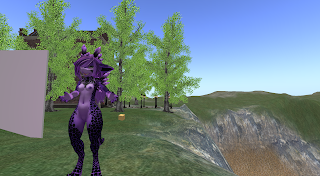
Also yes, above picture was made with said feature. Here have some more:


AHHHHHHHHHHHHHHHHHHH-AAAAAAAAAHPDATE!
You probably wonder why i'm yelling?
Yes. Yes that's what you think it is. Yes it's in this very update. No you can't. Yes it would be possible. No but will be in future updates. In that order.
In case you haven't noticed, i just made the first real full inworld Poser. Fuck all those HUD's. This thing will make you shit bricks, at least the avatar part of it, you still have to put a lot of bricks into your ass... why would you do that?
Do i have to say more? Jeeperscreepers it's a fucking POSER, what do you want!? You can rotate all main bones wherever you want, yes you can even put your Avatar upside down if you so desire (although i have to make the pelvis rotations work a bit better... they... bug out sometimes) or your feet into your face, hell you can scratch your nose with them... yes.... yes... you can also put your feet up your ass.
You want to know how it works? That's easy! Dragon - World - Animation Controls. Pose tab, slide all the sliders. (In case the video wasn't obvious enough)
Also yes, above picture was made with said feature. Here have some more:


Sunday, January 15, 2017
How To Fix: the Viewer and its common problems.
I'm bored so today i'll be going over a bunch of startup problems quite a few people seem to have when first using the Viewer.
In the course of Black Dragon's development i made a really significant change to the minimum graphic settings of Black Dragon. You see, all other Viewers offer all options from legacy rendering, to 'Basic Shaders' (Vertex Shaders or commonly known as Windlight), Post Process Glow and finally 'Advanced Lighting Model' (previously Lighting and Shadows, correct would be Deferred Rendering), allowing a wide range of PC's starting from the minimum requirements to the uber gaming PC to utilize the Viewer and set whatever graphics people want. In my Viewer however, there are no options prior to Deferred Rendering anymore. That essentially means the minimum graphics level you get is Deferred Rendering (if you don't count the ability to disable it for personal crash prevention and fail safe reasons). If your hardware does not support Deferred Rendering (Intel Graphics Cards usually) or any of its needed components (such as the now included Vertex Shaders and Post Process Glow) or is incompatible to the changes i did to the shaders (AMD Graphics Cards sometimes have this issue) it will simply bail out and fail to enable Deferred Rendering, essentially locking you out of seeing everything normal. Sometimes the Viewer will simply disable Deferred Rendering because your stock settings were in the range between no Deferred Rendering and Deferred Rendering enabled. In all cases you will see the world broken, some prims or meshes missing, some body parts will be white, meshes especially.
Looks like this:

The problem happens when:
First off a clarification, your camera never stays behind your avatar, it doesn't in my Viewer and it doesn't in any other Viewer. Your problem is a different one, you just don't know how to properly explain it because you don't know what is happening. Your avatar is strafing left or right instead of what you are used by default from other Viewers, rotating left or right. Although strafing seems to be the wrong wording here, that is what it's actually called, your Avatar moves directly to your left or right relative to the current camera direction. It's yet another change that goes all the way back to Nirans Viewer, one that should have been in Second Life from the very beginning but Second Life is not the only 'game' doing it wrong, most games use strafing, some (presumably created by people like you who were getting used to something different) games use rotate by default, big mistake, you got an input device that we commonly know as 'Mouse' and this 'Mouse' fulfills the role of being a second, separate input device to split up and spread different tasks, such as moving and looking around to all your available resources or what you commonly refer to as your 'Hands'. One hand moves you around, including crouching, jumping, running or flying while the other enables you to look around completely independent of your movement. Over are the times in which you moved with arrow keys and looked up/down/left/right with your numpad in a really jerky and unprecise way.
I changed the actions rotate left and right to strafe left and right and you are not used to it, as was i when i first changed it and was used to rotating for years (in Second Life).
HELP: X or Y is white and stuff looks broken.
The Problem:
In the course of Black Dragon's development i made a really significant change to the minimum graphic settings of Black Dragon. You see, all other Viewers offer all options from legacy rendering, to 'Basic Shaders' (Vertex Shaders or commonly known as Windlight), Post Process Glow and finally 'Advanced Lighting Model' (previously Lighting and Shadows, correct would be Deferred Rendering), allowing a wide range of PC's starting from the minimum requirements to the uber gaming PC to utilize the Viewer and set whatever graphics people want. In my Viewer however, there are no options prior to Deferred Rendering anymore. That essentially means the minimum graphics level you get is Deferred Rendering (if you don't count the ability to disable it for personal crash prevention and fail safe reasons). If your hardware does not support Deferred Rendering (Intel Graphics Cards usually) or any of its needed components (such as the now included Vertex Shaders and Post Process Glow) or is incompatible to the changes i did to the shaders (AMD Graphics Cards sometimes have this issue) it will simply bail out and fail to enable Deferred Rendering, essentially locking you out of seeing everything normal. Sometimes the Viewer will simply disable Deferred Rendering because your stock settings were in the range between no Deferred Rendering and Deferred Rendering enabled. In all cases you will see the world broken, some prims or meshes missing, some body parts will be white, meshes especially.
In Short:
Looks like this:


whereas it should look like this ^
The problem happens when:
- using Intel Graphic Cards.
- using AMD Graphic Cards.
- randomly depending on your initial starting settings.
The Fix:
- If you are using a laptop you are almost guaranteed to use an Intel Graphics Cards, but most today's laptops have a dedicated NVidia Graphics Cards, if you know it does you will have to go into your Windows Start Menu - System Control Panel - NVidia System Control Panel - 3D Settings - Manage 3D Settings - Global Settings and set the preferred graphics processor to 'High Performance NVidia Graphics Processor'. After you've done that you'll have to restart the Viewer and go to Preferences - Display and toggle Deferred Rendering there. Your problem should be fixed.
- If you are using a desktop PC with an Intel Graphics Cards you are out of luck, this Viewer does not support Intel Graphics Cards. Go and use a different Viewer.
- If you are using an AMD Graphics Cards, try enabling Deferred Rendering first, if that doesn't work please report your problem to me directly so i can work on a fix.
- If you are using a NVidia Graphics Cards, try enabling Deferred Rendering first, if that for some reason doesn't work please report your problem to me directly too.
HELP: My camera doesn't stay behind my avatar.
The Problem:
First off a clarification, your camera never stays behind your avatar, it doesn't in my Viewer and it doesn't in any other Viewer. Your problem is a different one, you just don't know how to properly explain it because you don't know what is happening. Your avatar is strafing left or right instead of what you are used by default from other Viewers, rotating left or right. Although strafing seems to be the wrong wording here, that is what it's actually called, your Avatar moves directly to your left or right relative to the current camera direction. It's yet another change that goes all the way back to Nirans Viewer, one that should have been in Second Life from the very beginning but Second Life is not the only 'game' doing it wrong, most games use strafing, some (presumably created by people like you who were getting used to something different) games use rotate by default, big mistake, you got an input device that we commonly know as 'Mouse' and this 'Mouse' fulfills the role of being a second, separate input device to split up and spread different tasks, such as moving and looking around to all your available resources or what you commonly refer to as your 'Hands'. One hand moves you around, including crouching, jumping, running or flying while the other enables you to look around completely independent of your movement. Over are the times in which you moved with arrow keys and looked up/down/left/right with your numpad in a really jerky and unprecise way.
In Short:
I changed the actions rotate left and right to strafe left and right and you are not used to it, as was i when i first changed it and was used to rotating for years (in Second Life).
The Fix:
- You can change the keybindings back to what you are used to by going into Preferences - Keybindings and clicking the trash icon left of the 'strafe left' and 'strafe right' action keybinds (which will display A and D and Left and Right a bit further to the right, then clicking the keybind buttons for the actions 'rotate left' and 'rotate right' (they will display Q and E) and pressing whatever button (presumably Arrow Left or Arrow Right) you want them to be, hit 'Bind' when you are done. Really easy and simple.
- You can also just deal with it and get used to it. Seriously, if you used the mouse to look around (drag your avatar) you won't notice this change most of the time anyway because by default 'rotate left' and 'rotate right' changes to 'strafe left' and 'strafe right' while dragging your avatar.
Wednesday, December 14, 2016
RLVa is here.
Penny PattonTuesday, December 13, 2016
Except the new version doesn't have RLV support yet, which is a complete dealbreaker. I use it too extensively to make up for LL being so bad at their jobs.
I get wanting people to use the latest version but you've locked me out of the last version of BD I could use. Not cool.
What you say now huh? :<
Ya r8 m8 dat's wat u get 4 complainin'.
EDIT: This will soon be the next minimum version, until then automated update downloads will be broken.
Monday, December 12, 2016
Game Over Old Versions
You will not be missed.
Rest in pepperonis.
No seriously, you may have noticed (or not) that if you use a version prior to 2.5.6, the Viewer will automatically download (although not telling you, just indicating it via the slowly filling loading screen loading bar) the most recent version and force you to install that version (which you can of course close if you want but you wont be able to login with the old version anymore). So finally, after 4 years, all old versions will be done for, once and for all. This was not a one time thing, knowing that it works (and works even better than expected, the working install wasn't actually planned) means that in future i'll continue to block off older versions.
I told you all many times that at some point i'll do this if i ever get my hands on a working way to do it because it's really annoying dealing with old versions, not just for me but also for SL in general.

Rest in pepperonis.
No seriously, you may have noticed (or not) that if you use a version prior to 2.5.6, the Viewer will automatically download (although not telling you, just indicating it via the slowly filling loading screen loading bar) the most recent version and force you to install that version (which you can of course close if you want but you wont be able to login with the old version anymore). So finally, after 4 years, all old versions will be done for, once and for all. This was not a one time thing, knowing that it works (and works even better than expected, the working install wasn't actually planned) means that in future i'll continue to block off older versions.
I told you all many times that at some point i'll do this if i ever get my hands on a working way to do it because it's really annoying dealing with old versions, not just for me but also for SL in general.

Well, f*ck you old versions.
I've also changed a few blog options. Most importantly i removed comment moderation, i used it to get a notification on comments because they are really easy to miss otherwise, instead i enabled sending emails whenever someone comments on any post. I'm sorry for all those comments i missed, Google changed the blogger main page several times and removed the "there are comments awaiting moderation" notification which is why i didn't see them. Things should be better now.
Tuesday, December 6, 2016
Emergency Release 2.5.6
I didn't expect to make a release this early and in this stage but the situation requires it, its highly likely that Bento will go full release tomorrow so i had to push this update as quick as possible. It contains all the latest stuff i was working on in its current state. Read the patch notes on the blog or login screen for further information as to what changed. The release should be coming up in a few minutes.
EDIT: Shit they already did while i was busy compiling.
EDIT: Shit they already did while i was busy compiling.
Friday, December 2, 2016
Monthly Write-Up: November
The next issue of my monthly write-up. This time with lots of bad news for the entire family, everyone loves some family fun!
Last month i pushed an update that fixed the an issue that prevented local chat from popping up when the local chat was not a separate floater and the conversation floater it was nested in was closed/hidden. I changed the Appearance floater to open with the "My Outfits" tab selected instead of the new "Outfit Gallery", limited the memory sliders between 128mb and 1992mb and made the chat tags [Moderator]/[Developer]/[Mod][Dev] finally reliable.
Graphics wise not much has changed, i disabled Object Object Occlusion by default as it should net you some performance gain unless you are using an AMD card in which case you might want to re-enable it.
I fixed a bunch of crashes that could occur when you toggled Deferred Rendering options while Deferred Rendering wasn't even enabled, yes i know you should have Deferred Rendering enabled anyway, why should i care, because reasons... and edge cases. While at fixing those crashes i cleaned up the code and overhauled some parts a bit, making it more reliable and preventing more issues as well as making it able to return values which someday i might actually use.
Bento was merged again, a few new changes came with it, nothing too fancy, just a few fixes for things we probably didn't even see.
It's still planned to come. Really it is, i just haven't started on it, it's the very last thing i'll do, when everything else is done.
I'm working on a few things, namely UI finetuning, fixing the appearance floater panels, cleanup all over the place, fixing one or two reported issues and adding some new stuff for you to play with. It's not particularly exciting to talk about it, really. I can show you a picture of what's coming.

It's still WIP but i'm getting there. It's shape edit btw, no more pictures, just plain sliders, all of them have the same size, boring isn't it?


Interface
Last month i pushed an update that fixed the an issue that prevented local chat from popping up when the local chat was not a separate floater and the conversation floater it was nested in was closed/hidden. I changed the Appearance floater to open with the "My Outfits" tab selected instead of the new "Outfit Gallery", limited the memory sliders between 128mb and 1992mb and made the chat tags [Moderator]/[Developer]/[Mod][Dev] finally reliable.
Graphics
Graphics wise not much has changed, i disabled Object Object Occlusion by default as it should net you some performance gain unless you are using an AMD card in which case you might want to re-enable it.
Code
I fixed a bunch of crashes that could occur when you toggled Deferred Rendering options while Deferred Rendering wasn't even enabled, yes i know you should have Deferred Rendering enabled anyway, why should i care, because reasons... and edge cases. While at fixing those crashes i cleaned up the code and overhauled some parts a bit, making it more reliable and preventing more issues as well as making it able to return values which someday i might actually use.
Bento was merged again, a few new changes came with it, nothing too fancy, just a few fixes for things we probably didn't even see.
RLVa
It's still planned to come. Really it is, i just haven't started on it, it's the very last thing i'll do, when everything else is done.
Upcoming
I'm working on a few things, namely UI finetuning, fixing the appearance floater panels, cleanup all over the place, fixing one or two reported issues and adding some new stuff for you to play with. It's not particularly exciting to talk about it, really. I can show you a picture of what's coming.

It's still WIP but i'm getting there. It's shape edit btw, no more pictures, just plain sliders, all of them have the same size, boring isn't it?
Snapshots


Videos
Wednesday, November 2, 2016
Monthly Write-Up: October
As hinted in my last post a month ago i might do monthly change writeups, so today i'll write up and explain the changes that came with the last 3 updates during October and the one coming with this blogpost.
I removed the background on teleport and replaced the progress bar with a more fitting texture, this should give you a better view on the now improved teleport transition.
Preferences had some slight improvements too, i added a bar that shows you your total GPU memory usage (not just SL), custom memory was removed and made the baseline, no more linked texture memory sliders, you'll have to set both manually now. The maximum of both sliders will automatically scale off of your available GPU memory to prevent you from accidentally setting it to stupidly high values.

With the above changes i also made some changes to the texture console to give more detailed information on the used GPU memory, i relabeled Gl tot and texture to System and Scene to make it more clear which ones are hitting the limit and might need an increase in your settings. The total memory usage bar at the very top also now displays different colors for different usages: non-SL (grey), FBO (red), system (yellow) and scene (cyan).
Then there's the pie menu. In the past i've been changing things, trying to improve on the simple pie menu up to completely redoing the entire placement of all options, this time i just made it funnier to look at it by adding a new popup animation and some options to control its speed or toggle it off completely.


Since i'm not going to actively write any more update posts i've added a changelog list to the login screen... some of you might have noticed it already. It's there to remind you of all the changes and obviously also to be able to read them without going onto the changelog page that might be a bit slower to update.
Lastly i dropped the ball on the machinima sidebar and added vector3 and vector4 controls to it, meaning you can now change vignette and shadow resolutions. I also moved the volumetric lighting toggle below shadows to make it clearer that it's a sub-feature and not a separate feature that can work on its own.
I changed the SSAO defaults a bit to make SSAO accumulation with multiple overlapping SSAO areas less extreme. (Mostly noticeable on plain, detail less single color surfaces)
For a long time (all the way back to Nirans Viewer) the camera was overly stiff and direct which was not intended, a change i made quite some time ago made the camera transition between teleports which was completely unnoticeable unless you changed the camera smoothness, i corrected the default smoothness value and the Camera should now act smoother when moving it, not annoyingly smooth but also not as aggressively direct like it did before, the result is that from now on you should see the camera move between teleport locations which is a nice unintended transition effect.
As always the Viewer has been brought up on par with all the latest changes from LL, this includes the VLC Media replacement as well as the latest Bento changes of that time. Soon i'll follow up another Bento merge with a few more changes and fixes.
I made some improvements to the Alpha/DeAlpha code allowing it to alpha/dealpha all separate faces instead of the whole object only. Selective face alpha-ing wooooo!
It's coming soon™ - even the Kaprosuchus thinks its cool.

Interface
I removed the background on teleport and replaced the progress bar with a more fitting texture, this should give you a better view on the now improved teleport transition.
Preferences had some slight improvements too, i added a bar that shows you your total GPU memory usage (not just SL), custom memory was removed and made the baseline, no more linked texture memory sliders, you'll have to set both manually now. The maximum of both sliders will automatically scale off of your available GPU memory to prevent you from accidentally setting it to stupidly high values.

With the above changes i also made some changes to the texture console to give more detailed information on the used GPU memory, i relabeled Gl tot and texture to System and Scene to make it more clear which ones are hitting the limit and might need an increase in your settings. The total memory usage bar at the very top also now displays different colors for different usages: non-SL (grey), FBO (red), system (yellow) and scene (cyan).
Then there's the pie menu. In the past i've been changing things, trying to improve on the simple pie menu up to completely redoing the entire placement of all options, this time i just made it funnier to look at it by adding a new popup animation and some options to control its speed or toggle it off completely.


Since i'm not going to actively write any more update posts i've added a changelog list to the login screen... some of you might have noticed it already. It's there to remind you of all the changes and obviously also to be able to read them without going onto the changelog page that might be a bit slower to update.
Lastly i dropped the ball on the machinima sidebar and added vector3 and vector4 controls to it, meaning you can now change vignette and shadow resolutions. I also moved the volumetric lighting toggle below shadows to make it clearer that it's a sub-feature and not a separate feature that can work on its own.
Graphics
I changed the SSAO defaults a bit to make SSAO accumulation with multiple overlapping SSAO areas less extreme. (Mostly noticeable on plain, detail less single color surfaces)
Camera
For a long time (all the way back to Nirans Viewer) the camera was overly stiff and direct which was not intended, a change i made quite some time ago made the camera transition between teleports which was completely unnoticeable unless you changed the camera smoothness, i corrected the default smoothness value and the Camera should now act smoother when moving it, not annoyingly smooth but also not as aggressively direct like it did before, the result is that from now on you should see the camera move between teleport locations which is a nice unintended transition effect.
 |
| https://gfycat.com/WarpedImpressionableArchaeocete |
Viewer Code
As always the Viewer has been brought up on par with all the latest changes from LL, this includes the VLC Media replacement as well as the latest Bento changes of that time. Soon i'll follow up another Bento merge with a few more changes and fixes.
I made some improvements to the Alpha/DeAlpha code allowing it to alpha/dealpha all separate faces instead of the whole object only. Selective face alpha-ing wooooo!
RLVa
It's coming soon™ - even the Kaprosuchus thinks its cool.

Subscribe to:
Posts (Atom)