Disclaimer

Black Dragon is MY Viewer, i decide which feature i want to add and which to remove, i share this Viewer to show the world that user base size is not important, i do rate quality by effort, thought and love put into the project, not some rough estimated numbers. I consider feature requests only if i you can name proper valid reasons i can agree on. It is my (unpaid) time i'm putting into this project, i'm not here to cater to every Joe's desires.

Monday, October 29, 2012

Release 2.0.1 (2212)

NOTE #2: When i do a blogpost and the Download link is still pointing to a previous version , just select the "Files" tab at Sourceforge and select the new version manually , sometimes i forget to set the new file as default!
NOTE: Crash = Clear your settings and cache!

A week focused on fixing your bugs and following most of your feedback.

SO, i managed to fix pretty much everything you threw at my head.

User Interface:

Biggest change here is that i´ve been working (the last few hours) on a fading system for chat and IMs aswell as system messages and group messages , i made a video here to show you how it looks , how long they fade is dependant from your fading time settings. They can be found in Chat/IM settings.


The other things are mostly fixes that were feedback posted on other blogs or directly IMed to me. Those include that you wished for tooltips for those Inventory sorting filters , seperate icons for Pathfinding toolbar buttons , some translation errors and some floaters not correctly redarkening the Preferences panel.

Other things include that i remade the Spellcheck and Translation floater and moved the Joystick button down below the actual control options instead of beeing on the far right.


Lookat:

With 2.0 i released a forced hack not everyone liked that much , it was a temporarly fix to prevent your Lookat Axis from beeing broadcasted to other Viewers, however my simple hack also made your Avatar not follow your Alt-Zoom anymore which was sadly the trade-off. I removed that hack and replaced it with the hide lookat feature from Firestorm and modded it to be forced on all the time , no way to disable it , but you will not need to disable it anyway...

Plugin:

I made an experimental and probably very dangerous change , the plugin (browser , webmedia etc) has been tweaked so it fires its sleep_time call 10 times shorter and faster , meaning that Youtube videos as example that take alot of ressources to render smoothly will now render alot smoother than before , however a bit of lagging will always be there but if that change causes extreme lag or FPS drop tell me , im planning to reduce it to 5 times anyway ...or make it changable...

Fixes:

A little fix that Drake IMed me a few hours ago was implemented last minute that should prevent a crash in llworld.cpp (no idea when that should happen but anyway...).

I also implemented the fix for Sea level not rendering correctly on private islands which was suggested in SLU Forums.

Did you know?:

My Viewer was placed as second most stable up-to-date Third Party Viewer this week!


as always,
enjoy,
Niran

Changelog:


2.0.1

added a Nearby Chat / Toast fading system
added Tooltips for Inventory sort filters
added 2 different Pathfinding Icons for characters and linksets
added Firestorm´s current hide lookat and modded it to be forced on
removed my hide lookat hack and fixing the avatar head issue
fixed People floater not redarkening preferences when opened via block list
fixed Joystick floater now redarkening preferences when clicking ok/apply
fixed Blur Background Option translation not working
fixed some German labels and wrong written words
fixed Plain Text Chat History beeing always disabled
fixed ParcelMediaURLFilter message always reappearing in message.xml
fixed a crash in llworld.cpp
fixed torn off menu floaters becoming too dark
fixed (potentially) issues with some options becoming unavailable on some cards
updated contributions.txt
changed some CAPITALIZED titles and words
changed Land options labeling
changed the maximum amount of CPU ressources a plugin can use by 10 times
changed the joystick button layout
tweaked Spellcheck floater layout and size
tweaked Translation floater layout and size
tweaked Notification and Chat life time and fading times
MAINT-1161: non standard sea level not correctly rendered around private islands.

Thursday, October 25, 2012

Nirans Viewer 2.0 - Reboot (2185)

WARNING: I might read your blog and what you´ve got to say about my Viewer , i will make a shitstorm rain uppon your head if i read complains about something that has been explicitely explained here and you just dont get it because you´re either too stupid or too lazy to read my blog posts. Seriously *starts poo-ing enough crap to make it rain uppon someone*.
WARNING #2: CLEAN YOUR CACHE & SETTINGS , THEN PRAISE TO GOD!
NOTE: A crash on startup CAN happen rarely , just try it again.

Rated [A] for Adult

Extreme voilent and dangerous words ahead!

Pointlessly reboot your PC and you will embrace the greatness of this Viewer! something like that...

anyway lets get to the today´s Topic.

It has taken alot of time and effort to get this Viewer so far, since 2011 when i started this Viewer for the first time it has undergone changes , some more extreme than others , some completely different from everything you´ve seen in any other Viewer and i think thats exactly what makes this Viewer so special and fun to use , everytime you start it up , it surprises you with another (crash) new thing you havnt yet seen yet , like a magic box full of great randomness! Since 1.49 i´ve worked 2 months more or less in secret to create 1.5 which at that time should have been the last and final release , due to this decision i´ve not released it in the next week , instead i´ve taken all the time i needed to make this very last version the (hopefully) best version ever. This action took so long and included so many changes that i changed the version to 2.0 and named it "Reboot" because basically that describes what it does. It tries to "reboot" the whole experience by completely restarting from 0 internally and working up all the way back to the top where it belongs. I´ve also changed my mind about this version beeing the last one , i will continue maintaining this Viewer for quite some more time (otherwise i wouldnt have a Viewer to use hehe) , no matter what other "wanna-be" cool and professional Viewer devs say. This is my work , im doing it like i want it to do and it works this way , fuck off if everything you can do about my work is just shaking your head because you think its pathetic what i do , remember that you started down there aswell.

So , over 2 months in making , you can expect ALOT of changes , i´ve hammered and finetuned things here , there and everywhere , cleaned up alot of spaces , translated lots of text lines and completely reworked alot of general stuff like layout , look , feeling etc. When coming from 1.49 or earlier version you will probably be nuked , those that tried my Beta´s have had a taste of what has been changed , fixed , added and removed.

One last thing. CLEAN YOUR GODDAMN SETTINGS & CACHE!


User Interface:


My favorite part because its the part in which most changes happen hehehe....muahahahahaha

The biggest change here is the new Preferences panel , i´ve gotten lots of good and bad feedback , i tried to fix as much bugs and non working functions as possible and implemented some features to make this new Preferences panel , which now replaces the Preferences floater completely , as easy to use as possible , however if you still got feedback , lemme know. From now on all buttons and key combinations will lead to the new Preferences panel which will open with a blurred and darkened background by default , the blurring can be disabled if you wish and the background darkening level can be set via a slider. It will also automatically hide the background if you open any of its floaters and redarken the background when you close those again. Lets go some steps back , im talking about this panel and maybe you dont even know what it is ...ok here we go , its a fullscreen replacement for what you´ve known as the Preferences window , it scales over your whole SL screen to allow much more space to be used , effectively reducing the amount of scrollbars and tabs/subpanels needed to display all functions.

Your Inventory has been changed a bit , i´ve had some reports that those filters wont check , so you never know which one was active and which werent. I couldnt fix that issue in that Filter menu so i pulled those Filters out and made buttons for them. Now you can just tick them at all times , always seeing which Filter is active at the moment. Take a look at the picture below (Sort objects by name , Sort objects by date , Sort folders by name and put System folders always to top , in that order)

When you start chatting or when you get IMs weither those are Group , Private or Ad-hoc ones , you will most likely notice that they look different , alot different , i changed their background image , realigned them a bit and made them look like small cards which i think looks really cool and is also extremly readable.

I´ve also added 3 new loadingscreen pictures for your viewing pleasure , so it never gets boring! take a look at them here (i´ve put them at first so you will be able to see them for sure)
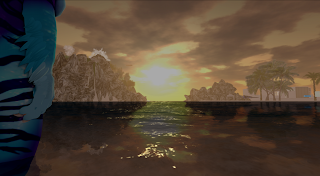


Note that these pictures were taken with a 6000x3306 resolution , shadows set to 2,5 times their resolution and Depth of Field pulled to the max and disabled FXAA , then downsampled to my ordinary 1920x1055 resolution, resulting in extreme image quality. None of those pictures have been edited except that they were downsampled , what you see is the pure graphical quality of Second Life´s rendering pipeline.

There were some little complains (from me also) that the Preferences panel was a bit too slow to use especially those buttons that show/hide , widget by widget , which takes some time , so i reduced the amount of time each widget needs drastically resulting in a far quicker show/hide animation.

The Environment Editor was really bugged , at first Regiolight didnt work , fixing that caused Day Cycles to break both resulted in quite some redoing of the whole panel and the new layout now is alot smaller and hopefully still easy to understand. Please tell me if theres something i could do here.


And because its not worth mentioning that this feature was ported from Exodus and originally came from Firestorm , i wont , because im the "asshole" who steals stuff anyway , no matter how often i tell people that I DIDNT DO IT , GAWD FUCKING DAMNIT! - i just fixed the cloud transitions which (no matter what Ansariel says) WERENT FIXED in their Firestorm code GAWDFUCKINGDAMNIT. I merged all fixes from Ansariel for Windlight animations and cloud density and position didnt animate correctly , they were forced at the end causing them to jump into their correct values.

I also found it way over the top to code every color picker seperatly to work for my new Preferences panel , so i created a floater (as seen in the previous picture already) that collects all color oriented options in one big window , easy to access via the Preferences panel.

The ugly Autoreplace floater also has been overhauled basically , nothing too special , just took out that ugly borders and aligned everything again , will clean up this one and Translation aswell as Spellchecker in later releases.

The Topbar (combination of Navigationbar , Statusbar and Favoritebar at the top) has also been altered a bit , you will notice white "template" buttons , border lines that split some parts and a white "template" sound icon to fit the look of the new Topbar. All in one it looks slightly cleaner and while i where mocking around up there i fixed the settings button in that Media settings mini floater which didnt open the Preferences panel.

Dont let us forget about the new Login panel background video which can also be watched here in full quality and smooth experience!


and alot more... (read the changelog for more not so important stuff on what has been changed)

Rendering:

Rendering has been minimally changed , i recalibrated (like Garrus) some defaults , i also disabled Color Correction by default to prevent darkness in non Deferred + Tone Mapping. That means if you want to see Tone Mapping as i intended it to be seen , enable Deferred , Ambient Occlusion , High Precision Rendering , Tone Mapping and leave Gamma Correction OFF! , then go to High Precision panel and set Color Correction (its a dropdown) to Linear and you´re done. Tone Mapping has been tweaked with alot of feedback , also mentioned in previous posts that it looked too dull , now it should look pretty ok and IF you want it more colorfull....well enable Gamma Correction BUT also tick re-initialize the shaders when you do , because when you switch it on/off , alphas remain shaded as they were before , they need to be re-rendered which only happens if you tick one of those many shader features like Deferred , Cloth Simulation etc. meaning you will have to tick and then untick them again.

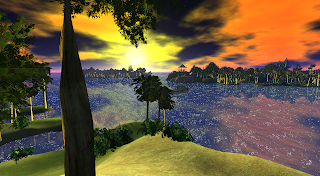


Aimee Arcana in my group send me a nice water map which i included as default in the Viewer now , it looks really cool and high quality , you can also manually set the coresponding water preset called "High Definition".


Performance:

Performance should have slightly increased from any previous releases (1.49 and downwards) due to over 200+ warnings and initialization errors that have been fixed internally yay!

Translations:

This was and still is a bitch and will always remain one , all stuff i do has to be translated sooner or later and in this Release i´ve looked through alot of floaters and panels (especially Preferences) and translated them all or atlast fixed their translations if they were available already. If you find something untranslated , please let me know!

Fixes:

Other fixes include that if you´ve set my Viewer as default Viewer to open whenever you click a SLURL in your browser , it didnt recognize my Viewer anymore , opening another instance of it , this shouldnt happen anymore now , if it still does , let me know

When starting out with fresh settings you often ended up having glow max alpha set to 0.001 due to my fading progressscreen , i think i fixed that issue , check your glow max alpha setting if its set to 0.225 as it should , otherwise you might not see glow where it should!

I´ve included an uninstaller.bat file which you can start to easily remove the cache , settings and or viewer folder if you´re not too fond of browsing in hidden folders , you can also use this to do a quick clean manual cache clear. It will ask you what you want to delete , just type in Y for yes and N for no and press enter to accept.

Did you know?:

My Viewer´s crashrates dropped extremly this week , it went around Singularity , Catznip and Exodus and nearly even Phoenix!

Lookat is GONE! you will never ever hear complains about your lookat beeing at someone, im sick of hearing it "we want a feature to turn it off" i turned it off forcefully, thats it!

Snapshots:


still havnt got enough yet? check out my newest video...


Thank you and enjoy,
Niran

Download:

oh and before i forget , 64bit doesnt mean the Viewer is optimized for 64bit , it means it utilizes the ability to use more memory than a 32bit executable can.

Changelist:


2.0 Reboot

added a new High Definition water preset , thanks to Aimee Arcana

added a background transparency slider to Preferences panel
added Martin RJ´s go-to line function for script editor and redone it to not use a seperate floater
added RLVa Tab to Preferences Panel
added Gistya Eusebio´s potential memory leak fix
added Armin´s fix for image decoding fails beeing handled not that good
added Hardware Skinning to Machinima Panel as suggested
added ability to disable preferences background blur
added Marketplace toolbar button
added Windlight transition animation on changing presets/regiolight or daycycle
added a little dancing Niran as loadingindicator to loading screen
added a Map Camera preset (not yet in use)
added auto-fade function to Preferences background when a floater is opened from there
added auto-defade function to Preferences background when those floaters are closed again
added a seperate floater for all color related options
added 3 new loadingscreen pictures
tweaked default Tone Mapping settings
tweaked default Depth of Field settings to a somewhat "real" camera preset
tweaked Stats floater alignment
tweaked Debug settings floater alignment and layout
tweaked Toolbar button floater to fit all buttons in again
tweaked default floater transparency
tweaked default Near me range and max Object size on minimap
tweaked Chat and IM toast floater position a bit
tweaked Navigation bar to have a Chrome-like look
tweaked Local Chat text and avatar icon alignment
tweaked Sys-well floater look a bit
tweaked open/closing time for Preferences panel buttons
tweaked readability of some half transparent tip labels
tweaked avatar list panel layouts a little bit
tweaked open/closing time for IM control panels
tweaked edit shape panel for better space usage
fixed Progressscreen reverting your glow/camera angle settings every teleport
fixed Tools floater getting refreshed all the time with color picker open causing lag
fixed crash when image decoding happens
fixed default indicators not showing the correct default value (3x)
fixed Viewer overblurring underwater causing freezes
fixed broken Login translations
fixed logpath line editor not getting disabled correctly
fixed some miswritings in german UI (Standard not Standart)
fixed angular retations for objects that got broken with Pathfinding
fixed Auto-login option not beeing persistant over logins
fixed over 200 warnings about missing widgets , debug settings etc etc
fixed underwater distortion not allowing more than 30 in Machinima Panel
fixed IM Control panel for P2P chats
fixed Regiolight not working/not selectable
fixed some Preferences panel blurring logic
fixed Mechatoy sponsored logo appearing grey on first start
fixed some Shader errors for some video cards
fixed world going totally black when disabling Ambient Occlusion
fixed crash on startup when no settings files where created yet
fixed L$ balance positioning (hopefully)
fixed some options having different starting values than their debug settings
fixed close buttons for toasts not correctly aligned
fixed Local Chatbar title coming through Chatbar on lower transparency levels
fixed IMs with 5 or more lines causing resizing issues
fixed Viewer preferences panel having a scrollbar when it shouldnt
fixed Channel and Version name at login beeing to short and going into a second line
fixed phantom shadows appearing at 140m and upwards
fixed beeing unable to switch to day cycle and change day cycle presets
fixed scripts getting cut off at line 12 and beyond
fixed windlight buttons in navigation bar not showing their floaters when pressed
fixed Camera Preset editors not working in Preferences panel
fixed Mini-map chat range rings not showing
fixed place profile showing uninitialized tabs when coming from search
fixed Prim type not showing in Tools floater
fixed Viewer not recognized by Browser resulting in opening another instance
fixed UI Invidualisation scrollbar
fixed lots of widgets having same names resulting in not beeing able to be translated
fixed Alpha´s beeing lit differently than normal mesh (mostly hairs were affected)
fixed Media control settings button not opening new Preferences
fixed Inventory filters not correctly ticking by redoing them completely as buttons
fixed take-off menu in self inspector not opening
fixed IM control panel button not triggering correctly when clicked the first time
changed Depth of Field default Resolution to 1.0
changed some Loadingscreen tips and retranslated some others for better understanding
changed some Menu entry labels for better understanding
changed Loadingscreen tips to show the path to new Preferences panel
changed Windlight editor translations for better understanding
changed alot of major graphic feature tooltips to explain better what they do
changed some Toolbar button label and tooltips in german UI
changed Preferences background to allow clicking through it
cleaned up some XML files
changed some Sky Preset names
changed some labels in german and english UI invidualisation panel
changed Chat/IM/Group and some Floater backgrounds for a cleaner and cooler look
changed Topdown and default Shoulder view labels
changed some strings in english/german for the shape panel
removed Shining Project from codebase
removed pre-materials experiments with bumpmapping dropdown
removed double search menu entry in main menu
removed CoreHTTP project
removed some unused Toolbar buttons (from pathfinding)
removed MapShowTelehubs debug
removed Windlight floater functions to revert your settings automatically on close
removed Preferences floater everywhere from my Viewer, goodbye
removed my rotation degree feature due to LL implementing a default one
removed UI Size slider and readded it as dropdown to give 3 size presets , for better support
removed backup graphic preset
removed all color pickers and color options from Preferences panel
removed the sliding effect of my login panel on start
removed Preferences panel menu entry in login main menu
removed the floater resizing corner texture (looked bad)
removed lots of unused files
merged up with Linden Labs beta
disabled Nav Mesh upload due to not having the havok license
disabled Preferences button in login
disabled Lookat for zoom completely (RAAAAAGE)
moved agent recorder translations in main menu to work correctly again
translated some main menu entries that werent translated yet
translated the Preferences panel
translated Place profile
translated Machinima Sidebar (again)
translated all Preferences subpanels
translated all new Loadingscreen tips
translated Pathfinding status buttons
translated Windlight settings floater
translated IM control panels
translated new Snapshot floater
translated Inventory sorting
translated some edit wearable panels in "my Appearance" floater

Thursday, October 18, 2012

2.0 (2136) Beta 3

ok guys last beta until release!

i fixed the topbar windlight buttons , regio light and some other things aswell as implemented some suggestions for the new preferences panel, the old preferences floater is from now on GONE. COMPLETLY! DONT SEARCH FOR IT.

This Beta is for testing the new stuff and reporting the remaining few little UI bugs if you find some. I will try to fix them while finishing the Release which is basically just fleshing out the UI and translating everything to German.

sorry the download is on dropbox this time , sourceforce somehow cant manage to fully upload @.@

enjoy,
Niran

Friday, October 12, 2012

2.0 (2107) Beta

For those, that uh havnt noticed...
i released a Beta of 2.0 a bit ago...
well and heres Beta #2!

Download Beta 2.0 #2

for scripters having problems with saved scripts not fully showing:
Script Editor Fix

for those having shadows EVERYWHERE starting at 140m , open the Main Menu , NV -> Advanced -> Debug Settings. Type in "RenderShadowBiasError" , set its value from -0.00X to 0.000. The problem should be fixed now.

Have fun and enjoy,
Niran

Thursday, September 20, 2012

Dark Souls - Prepare to Die

I´ve wanted to record a video of the game but the parts i recorded seem way too easy because i´ve finished them a few times already, so i recorded my second and third try on Sif the great grey wolf. Im sorry for that crap quality :/


Just look at how much life point i got, in new Game you start with 3-4 bars, i´ve got 13+ and this pretty early boss eats away my health like nothing. Even normal enemys that are absolutely worthless fighting can do that, especially on New Game+ where everything becomes 1.5-2x as strong and healthy. The only reason i can also eat his HP away that fast is because im using a pretty good high end single handed sword. My Endurance is maxed (basically its over the max and can still be increased by 2 rings that increase Health, Resistance, Carry weight and Endurance and im only wearing one of them.

 Im really happy this game doesnt allow invaders to invade you during a boss fight... THAT would be unfair. Imagine, you, 2 friends and 2 NPCs against 2 invaders and a Boss. Epic fight you will 120% lose, atlast if those invaders are intelligent and use their lag to their advantage. Yup lag, some of them lag SO hard that they attack you from 10m distance and you get hit (WTF) even if YOU are the host (invaded one), they even backstab and finish you this way, you see them backstabbing you infront of you but for them you turned your back to them so they can grab you.... its somehow a shame that PvP chokes on this because it makes fights absolutely imbalanced and unfair.

 This game really shows no mercy and to finish that game, YOU shouldnt aswell, find out your enemy´s weakness and defeat them with that knowledge otherwise you will end up dead again like a few thousand times before. Oh and rwar, does my dragon look sexy? xD

Saturday, September 1, 2012

Dark Souls - Death is what you deserve.

I´ve been quiet for some time now for a reason , not because i was secretly trying to conquer the world or something like that.. no , i was just busy playing Dark Souls which finally released for PC a week ago.
This Post is off-topic and doesnt have much to do with my Viewer , it just explains why i was quiet.

So, what exactly is Dark Souls? Dark Souls is the sequel to Demon Souls which was a console only RPG that made alot of people throw their controllers at the next wall. It was a dark , a bit of fantasy like RPG that kicked your ass really hard compared to other game difficulties. Dark Souls is even darker, harder in difficulty and longer in hours you will lose into this game, best of all it comes with the not yet released DLC for Dark Souls, all packaged up and named as Dark Souls - Prepare to Die Edition which is only available for PC atm. I got that game for my Xbox 360 aswell but... well Xbox 360 = XLive = Crap. Coop is one of the best things you can do in this game, it makes alot of passages alot easier, sadly Coop was only possible via Xbox Live which costs...monthly... so PC = Internet = Free = Awesome. But what exactly is Dark Souls all about?

You are dead. Nearly...mostly...uhm... well not at all maybe? Undead to be exact. You´re the chosen undead, a hollowed human trying to figure out the destiny of the undead. To achieve this you will start a long journey through thousands of other undead, monsters, wildlife and finally bosses.

What exactly makes this game so hard? This game doesnt forgive nearly any mistake you do, time one swing, jump, roll, block, parry or other action wrong and it could mean your death. Your enemies are hard, fast and can take alot of damage before they finally die and you will often fight against more than just one of them, making a sometimes hard fight even harder or nearly impossible but while this game maintains a huge difficult which also increases more and more the further you progress, it will always remain fair. Its either your wrong timed action, your missing situational awareness, your missing intelligence, missing luck or skill or a wrong tactic and/or equipment that can cost you thousand undead lifes... but hey, you will always be revived at the next bonfire which act as resupply, checkpoint, teleportation device (quick travel) and or upgrade spot but you will lose all your collected souls (money) and your humanity which will be dropped at your death place (or somewhere near if unreachable) and can be recollected. It will be lost forever should you die again trying to collect your stuff. On this way its hard but will never be unfair, it gives you another chance to get back your stuff, if you can manage to get it before dying again...well thats up to you.

The constantly increasing difficult is a very fascinating aspect of this game, even more that the game always shows you that you arnt god, you arnt uber. You are weak, mortal (in terms of you can die) and nearly everything in the world of Dark Souls can kill you if you dont watch out for them. Bosses are really cool examples of how this system works. When facing your first boss you sit there with half of your life points gone, a broken sword in your hands, no shield and no real armor to block its attacks. Impossible to defeat as it seems, you could defeat it even with that broken sword but it would take ages....but as all such "crazy" actions it would be rewarded. But what you do at first is run away (which is not possible in later Boss fights anymore) and find your first shield and weapon to fight with. Back with this new equipment the previously nearly impossible Boss becomes defeatable. You will encounter alot of bosses , each of them becoming more powerfull, you will become more powerfull aswell but you will always still remain far below them and Bosses will always remain challenging, even tho you can quickly dispatch alot of enemies. This is a great aspect of this game which i dont see alot in other games.

Now that i´ve finished the game i can say i´ve finished one of the hardest games to date, New Game+ starts now, Enemies become twice as powerfull and healthy but they also reward more than double the soul amount. Thinking that i can go out and kill everything with my bare fists now that im level 97 is a wrong thought. I can kill alot of enemies around me in one hit BUT they also can kill me very quickly due to their increased damage this makes it again very challenging and risky to just run in and try to punch everything in sight.

The Coop aspect of this game is a bit...complex but fits into the whole theme of this game. At a certain point you will find a white stone which you can use to place down a summon sign that will be visible to other players around, they can interact with this sign and summon you as phantom into their world making you able to interact with them and help them defeating the area boss and progressing further. As summoned Phantom you cannot lose anything, you can die however, which will disconnect and throw you out of that game yielding you no additional reward. Succeeding in defeating the area boss will yield you half of the souls the summoner gets and another humanity. You can only summon other people in human form.

You...or others can also invade other peoples world, invading is announced and yields both the invader and the invaded souls and humanity if the other one dies, much like a forced PvP duel but you can only be invaded if you are in human form.

You can get back your human form by collecting humanity and using it at one of the bonfires to sacrifice it in order to be in human form again. Beeing in this form gives you resistance bonuses and makes you able to summon friendly NPCs you might have rescued or other players that want to help other people progressing further.

There are also covenants you can enter to get special weapons , armor , skills and functions like constant and unannounced invading, dragon transformation and breath, chaos spells, special abilities and divine spells.

I´ve probably seen the YOU DIED screen aloooot on all kind of places due to normal enemies, bosses, environment, falls, traps, deep endless holes and finisher moves... but when you finish a boss or a dungeon and see the YOU ARE VICTORIOUS screen you are very happy and proud of yourself, managing an enemy that you thought is impossible to defeat.

If you can get your hands on it somehow, by a friend or something like this, TRY IT. You definetly should! You´ll bit your teeth out ;)

Our journey starts here...
"Old legends tell..."

We will be grabbed by a huge black crow... where might it drop us?
"that there will be a chosen undead..."
...Lordran, a cursed City of the undead, either you end up as hollowed or you will find out whats your destiny
Lordran has some nice sorroundings all of them look unreachable, but actually alot of them are reachable, the strange but great usage of Level of Detail makes this possible.
Anor Londo, one of the most powerfull cities, sadly its shrouded in darkness due to my actions in this city, alot of things you do has a consequence, killing the firekeeper like i did here made the sun vanish and envelop the whole city in darkness and destruction.
You will visit alot of dangerous places on your journey like this giant lava cave, getting in contact with lava is a quick way to die.
You will also visit the endless Abyss which is a dark place with absolutely nothing in it except the bonfire if you defeated the boss and the boss itself that awaits you here.
In the DLC you will fight Artorias, a Legend who has sadly gone hollow...
Boss fights like these are often easier or possible at all when you got friends (left) and NPCs (right) to help you distracting them.
The DLC Mausoleum of Oolacile looks great and shows that even not too advanced graphics can look great, it just depends on the designer, same goes for Second Life, if creators would actually put more and GOOD effort into their products, stuff would look good and wouldnt be performance bombs...sadly most creators either dont listen or ignore performance completely as they either have a way too poor PC to notice the difference or just use too low graphic settings in order to notice how bad their stuff looks.
In Dark Souls you will find alot of such dead leftovers of other people and heroes that tried the same as you, they will often yield valuable souls or equipment.
Finally... the end, i´ve taken the good ending, becoming the new Lord of Lordran.

Now that im done i can slowly start working on 1.5 again after which i will probably do a break again... to continue this game....once more

Thursday, August 16, 2012

Material System.

As some of you might have seen or heard or read in my group , Second Life´s blog or some other blogs like Echt Virtuell , Living in a Modem World etc , Linden Labs officially announced the long awaited Material system, its going to happen (not that we didnt knew that already) finally! , this means we will be able to add custom Normal and Specular Maps adding even more details and more detailed details (yup) =3

I cant wait to get my paws on it as a lot of you also might do, i will keep an eye open, and i will try to stay informed about this soon public going project.

I should also mention that as soon as the code becomes public , i will implement it and you will then able to find it in the next Release :)

For those that want to read the blog post of Linden Labs
Second Life Blog - Material System

Tuesday, August 14, 2012

Experimental Release 1.49 (1941)

ATTENTION: ATTENTION! ATTENTIONE! xD
NOTE: That red Phoenix like looking Central Dragon is NOT included. Thanks.
UPDATE: 32bit version available, enjoy as long as this pointless 32bit compiling continues.

i´ll keep this rather short this time
I need your feedback , lots of it , buy me some buckets of it!

User Interface:

As promised in my group and several other places this update i´ve focused on my Skyrim Preferences Panel, which should be now to 90% functional, and thats where i need some help. YOU will have to test it out , give me feedback about it , what could be done better , where and why. Also you should report any feature or button that is not working so i can create a list what i still have to implement. As it is now my new Preferences Panel replaces the Preferences Floater which can still be accessed by going into the main menu (NV - Edit - Preferences) which you will probably have to do a few times for some options due to not all of them working in my new Preferences Panel yet.

I´ve added again 2 new loadingscreen pictures in order to bring even more nice scenery to your teleport screens! Those are:


both taken in 6000x3306 and are downsized to 1200x6xx for the loadingscreen making them ultra antialiased with superior quality :)

Gamma Correction and Tone Mapping can now be invidually activated , not needing each other anymore , in the same change i´ve reorganized the whole Graphics panel a bit , moving the Reflection , Light and Shadow amount to the left side , render attached particles/lights to the top general options set and adding the experimental Save/Load & Backup setting presets system.


Preferences Panel:

What i´ve planned for it is that i will allow the background transparency beeing adjusted via a general slider that will always be visible when its open. You will also be able to disable the background blurring when Deferred Rendering and Depth of Field are on and obviously i will try to move all functionality from Preferences Floater to Preferences Panel. I will also try to find a way around that little problem when you open joystick prefs as example , it will open BEHIND the panel forcing you do close it in order to use it... i will probably make a combination of allowing you to set transparency to 100% and allowing clicking through the panel , it will allow you to just tone down the background and use the floaters without having to close the panel itself.


Rendering:

A bug has been reported that when you disabled Shadows while Deferred was active , Deferred and all its containing options would become unavailable and not checkable again, i´ve fixed this issue , it was caused by a shader i forgot to take out a line that has a non defined word in it , causing the whole shader not to compile and deferred getting disabled in its whole due to Linden´s awesome incremental shader disable system which will incrementally disable all features/shaders that fail to start/initialize/compile no matter the reason.

Release:

This Release only comes with a 64bit version of it at start , i might do the 32bit tomorrow.

Note:

Due to some conversations with Inara Pey about Server issues , i´ve teleported to a few SIMs , trying to reproduce it and also turned up Draw Distance to 768m , resulting in about 16+ SIMs getting fully loaded and rendered while Deferred with Shadows were active. 10 FPS while doing so, after leaving that SIM and turning Draw Distance back to my usual 64m i´ve checked my memory usage which was surprisingly low with 1,25GB in a half full SIM (which probably used 250mb of those at this moment), which is awesome and tells me that the Viewer finally scraps shit out of memory as it should when leaving SIMs, that means for YOU , you can stay online for an extended period of time without crashing due to out of memory :)

Version:

The Viewer is again updated to the very latest Viewer Development code and therefor now is absolutely up to date with Viewer Development , Pathfinding and HTTP.

before you start downloading i would like to focus your attention on a cool music album i´ve recently found and listened non stop.
Lapfox - Figurehead Remastered
For everyone that might be wondering , yes those are "songs" created by a Furry , therefor i call it Furry Music.


ugh... i´ve written a whole blogpost... i wanted to cut it short...
anyway , enjoy
NiranV

Changelog


1.49 Experimental

MAINT-113 Fix for flashing property lines when selecting objects.
added lots of features , panels , tweaks and work to new Preferences Panel (WIP)
added 2 new loading screen pictures
added experimental save & load settings preset function
added new Pathfinding LSL functions to LSL editor dropdown
added High Precision , Gamma Correction and Tone Mapping to Sidebar
added Glow Warmth weight sliders to lighting panel (non functional atm)
added Glow Luminance weight sliders to lighting panel (non functional atm)
cleaned up some code files
removed old windlight shiny option from Machinima Sidebar
switched Preferences Panel key combination to CTRL + P
moved render attached particles and lights to general options instead of deferred
tweaked Gamma Correction and Tone Mapping not beeing dependant from each other and High precision
fixed UI Preview locking at higher size than its default was when trying to resize it
fixed shader initialisation error causing Deferred to be locked out
fixed autoreplace floater having a too black background
merged Linden Development

Monday, August 6, 2012

Release 1.48

NOTE: For those using the 32bit version, the EXE is named NiransViewer.exe not Nirans Viewer.exe , i forgot to rename it in my haste.

Hello and welcome in my World Domination plan... i mean.. uh...uhm....
*rolls eyes*
uhhhh...

User Interface:

Uh there has been done a lot here some changes i dont even know about :Q (Pathfinding)

As promised long ago there should have been a loadingscreen tips floater showing all available tips that can be displayed while teleporting/loggin in/out, and here it is! also while beeing at creating it i added 8 new tips along with 11 new loading screen pictures! wooooo!

Some pathfinding options have been implemented into normal and pie menus when right clicking an object , which will open the linksets and characters floaters. Object pathfinding attributes will be displayed in object task info for the time beeing... because there was no space in my tools floater anymore (which will get redone anyway), that means for you that you will have to right click and select object profile in order to see the object´s attributes.....ooooor you just open the linksets/characters floaters.

Did you know there was an E-mail display that is supposed to show your current E-mail address your offline messages will be sent to? i didnt, but i dont care anymore because its back anyway! hihi...

I moved the Progress panel on top of the whole main User Interface again, it looks better and it serves no real purpose to do anything in IM or Inventory while teleporting for 1-2 seconds if its not lagging badly.

I´ve removed the ability to toggle login start location combo and show server combo because its absolutely and totally pointless, its the login screen NO ONE CARES if theres 1-2 more widgets on a login screen that has been CREATED FOR THOSE BEEING THERE.

Rendering:

As suggested i´ve merged further upwards Exodus´s Renderpipeline to get the newest Tone Mapping , Gamma Correction etc. Personally i wasnt able to become friends with the new look of it yet... i simply havnt had enough time ...and then there were those.... people...called users....that were talking inbetween aswell wanting a more colorful tone mapping n stuff... so dont wonder if it looks more crap than before now , this needs serious redo now.

Fixes:

Me found fixes for crash when right clicking and selecting edit, i couldnt reproduce them anymore since 5-6 days so i can just guess that they´re fixed.

Vertical/Horizontal tabbing switch didnt work since Linden Code merge, the code for it was lost during merge. happens. Its fixed now and should work again , i also fixed the default conversation floater width to not cut the group list half off.


Also lost in Linden Code merge were my inventory system folder icons which should be different now again. :) Oh and for those that were curious about the My Favorites folder...i renamed it to Favorites because we all know that those are ours, we would probably have a few AR´s sticking in our ass if we could actually see or manage other people´s "Inventory" without loggin in with their account.

Default Window Resolution was increased from 1024x768 to 1280x720 to make the first start look good for the user , in this case to make the youtube video playing in login appear without black bars at the top and bottom.

I fixed glow only working in Deferred when Depth of Field was enabled, which personally wasnt annoying due to me having DoF on at all times, but it was annoying that when you clicked on your HUDs or selected an object in Edit mode, it vanished aswell due to the viewer disabling DoF in those cases.

I fixed all Focus Offset spinners not working due to them beeing Vector3d´s , the code i´ve written was for Vector3´s so the viewer was complaining about those not beeing correct values.

Friendlist rezzing lag is now absolutely minimized , even with a 200-300 big friendlist like mine :)

HTTP Project:

HTTP Project has been merged against all voices that said "no its dildos." I cant see a difference...seriously... HTTP was always slow for me and its still extremly slow , so i will probably just switch to UDP again, you can try and enable it, it can be found still in Display & Sound - Advanced Graphics - Textures - HTTP Get Textures.

Pathfinding:

Pathfinding has also been fully merged and is pretty much completetly supported now except.... the above mentioned little problem that i havnt had space for the attributes in build floater....and the thingy with the Havok License, you know... i wont get one 1. due to me not fullfilling all requirements and 2. me not wanting to sign another preorder new washing machine form.

Crash Statistics:

Some , all or none of you may have noticed that my Viewer didnt appear in the upper TPVD crash list this week... well Oz explained me that it isnt my fault, they had a little problem with collecting those crash statistics, so dont worry about it... (i was running up walls , turning my viewer upside down already....)

Version:

For those beeing curious, my Viewer now runs on 3.4.2 meaning it has 3.4.1 (Official Version) completely incorperated and is now on the way to 3.4.3

Snapshots:


enjoy,
Niran

Changelist:


1.48

added Loadingscreen Tips Floater to show all tips displayed while loading/tp'ing
added refresh button for XUI Preview floater
added texture for missing asset
added pathfinding sub menu to pie menu for objects
added leave group button to button panel at the bottom in people floater
added 8 new loadingscreen tips
added 11 new loadingscreen pictures
added rotationdegree changes when selecting a layout at login
added some missing strings to tools floater
added pathfinding attributes display to task info
added current email display to which your offline messages get sent if you wish so
fixed right click edit crash (couldnt reproduce anymore)
fixed all inventory system folders having the same icon
fixed own webprofile having a small scrollbar on default opening size
fixed horizontal/vertical tabbing option not working
fixed glow only working in deferred with active Depth of Field
fixed (potential) moneybag button cutting balance display for some users
fixed a broken color definition
fixed group list getting cut with default tabbed IM width
fixed lots of logspam
fixed some graphic panel spinners not clickable
fixed Focus Offsets not working and complaining about wrong data
tweaked avatarlist items more to minimalise UI creation lag
tweaked Pathfinding floaters to be more compact
tweaked keyboard layout change code so that it can be changed without relog
tweaked featuretables , should finally prevent glowpow set to 9 and treeLOD to 0.5 by default
tweaked tabbed IM tab textures for a way better look
tweaked default window size to 1280x720
tweaked max values for camera preset editing, allow up to 10
tweaked Tone Mapping defaults due to different Tone Mapping behavior
tweaked default depth of field settings a bit
moved Progress Panel on top of the User Interface again
removed ShowStartLocation Debugs
removed ForceShowGrid debug
removed FriendListShowPermissions debug
removed NearbyListShowIcons debug
removed and cleaned up NextLoginLocation debug and its functionality
removed high res snapshot menu entry
removed menu entries to disable showing permissions and profile icons in lists
removed all show grid at login options and menu entries
removed all show location combo at login options and menu entries
renamed "My Favorites" folder to "Favorites" both english and german
cleaned loginpanel internally up
cleaned settings.xml up
updated special thanks page
merged Tofu's SSAO haze fix, also made it a float again so it can be controlled via UI easily
merged Pathfinding
merged HTTP Project
merged Exodus's Advanced Tone Mapping
merged Viewer Development , fixing the Friendlist loading lag